

Skip to content
Independent information site - not the Sinabuy.com website. Read our independence notice.
Sinabuy logo Sinabuy Spreadsheet

Watch before you start

The full SinaBuy video introduces the process. The numbered guide below explains what to check at each stage.

Payment 1Goods + domestic shipping + chosen services
Payment 2International parcel shipping + applicable charges
SinaBuy complete buying tutorial
Open video ↗
PHASE 01

Buy items and move them into storage

Choose a product, submit and pay for the order, then review the warehouse arrival before deciding to ship.

01

Select your item

Find a product on Taobao, Tmall or 1688, then copy its product link into SinaBuy. You can also search SinaBuy by product name or image. Open the exact listing before comparing the available colours, sizes and quantities.

Use the Spreadsheet to discover candidates, then check the seller’s current options and price. A category card does not reserve stock or confirm that a particular item can be shipped to your country.
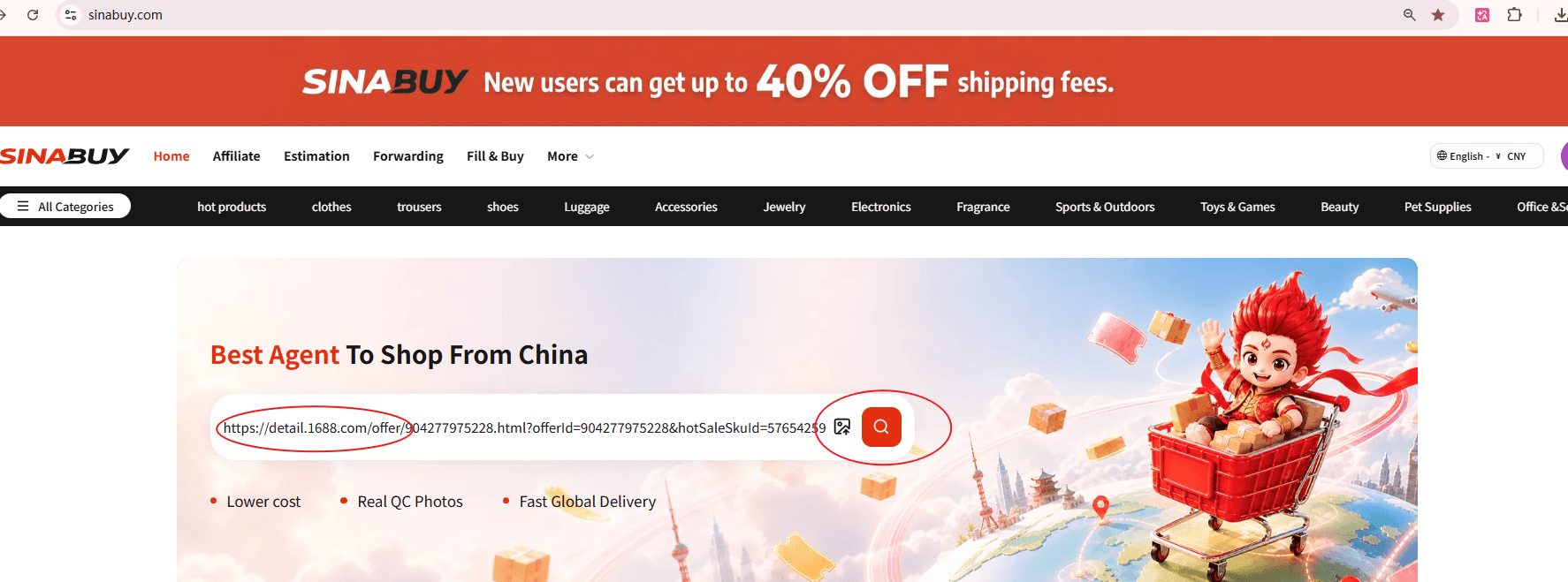
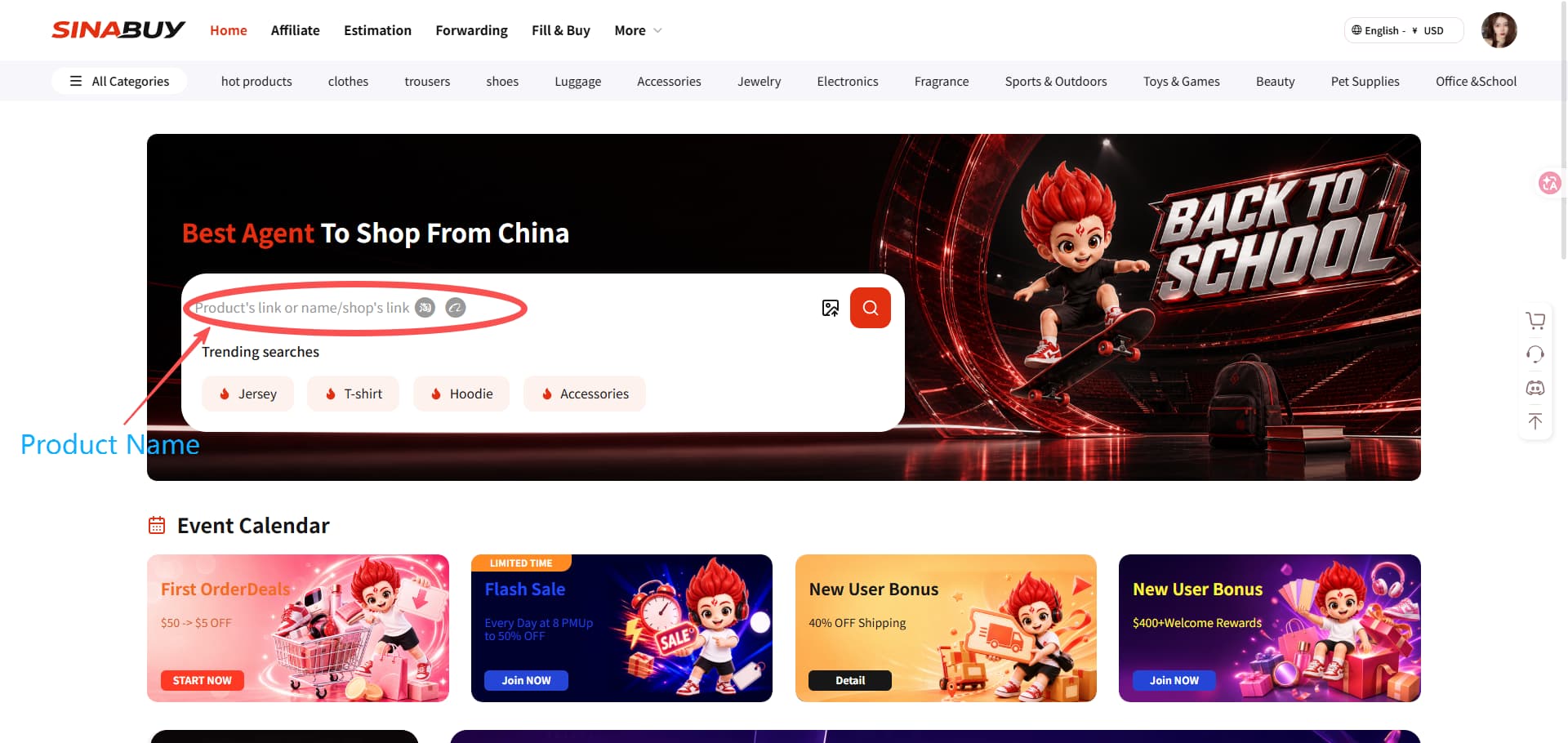
SinaBuy homepage search bar for a product link or product name
Official tutorial screen. Open the image to see the full details.

Choose either search method

Method 1 · Paste a product link

Copy the product URL on the seller’s marketplace, paste it into SinaBuy’s search bar and open the matching product details.

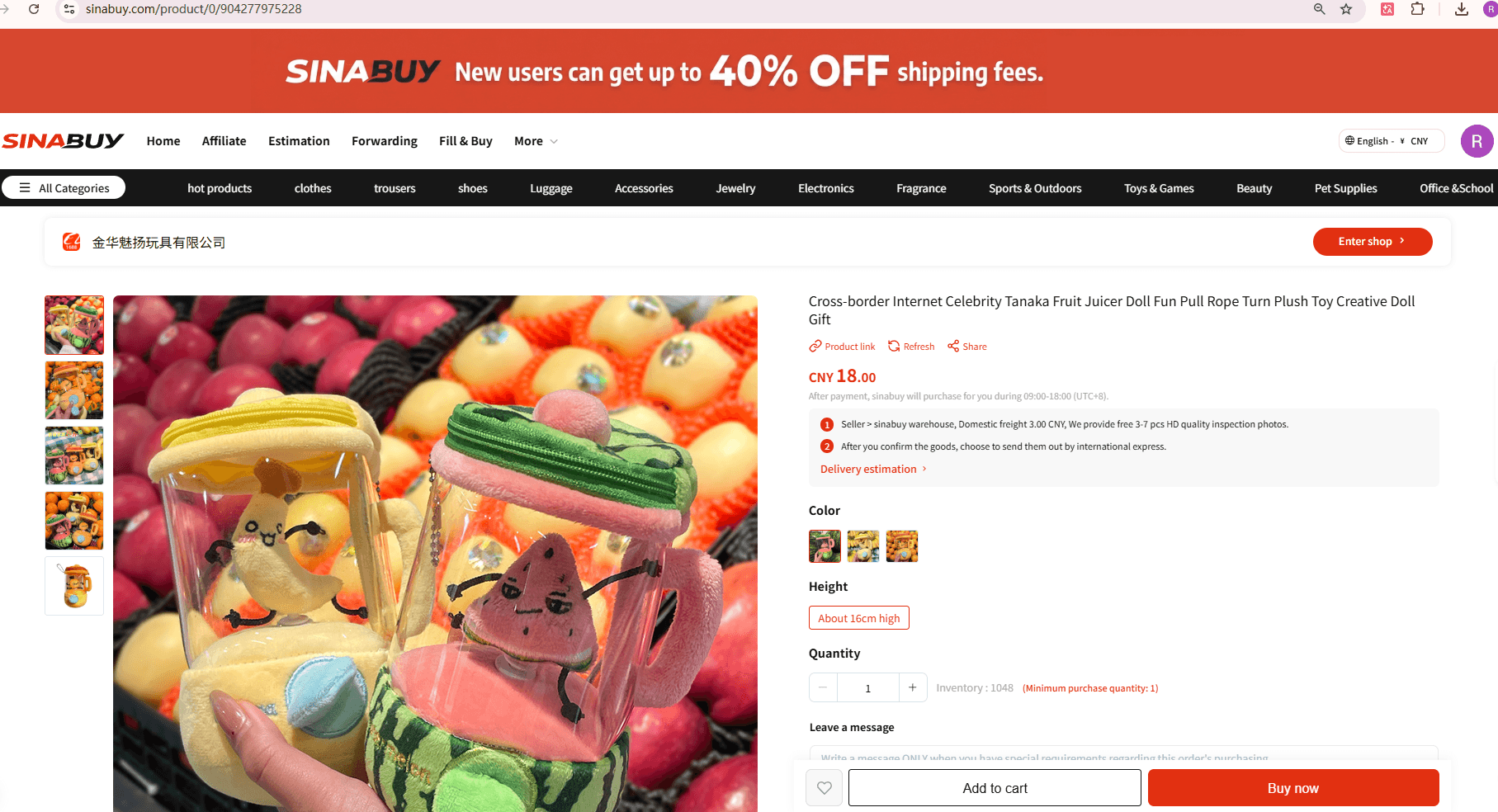
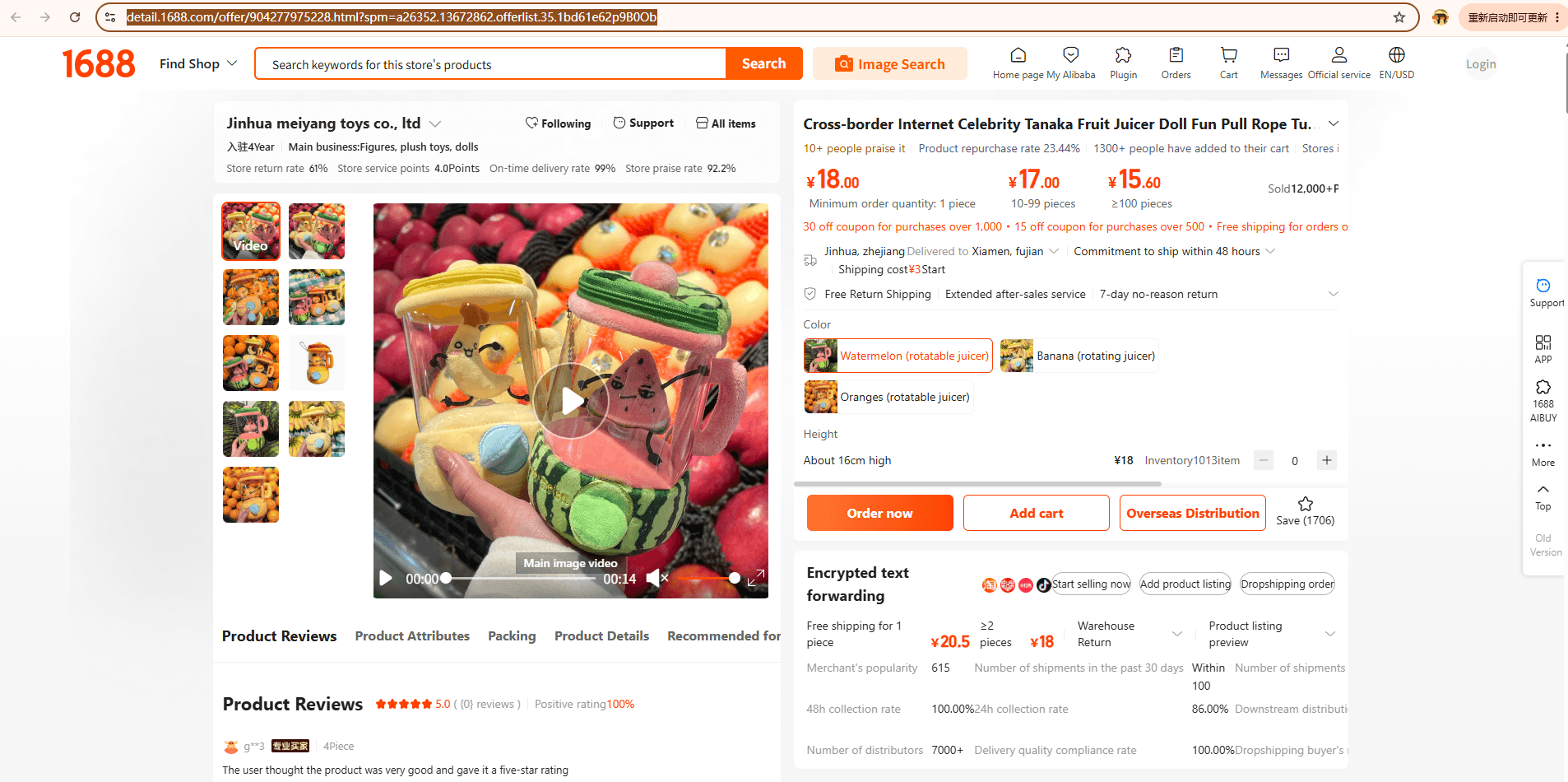
Copy the product URL from a 1688 listing
Official tutorial screen. Open the image to see the full details.
Choose a product option on the SinaBuy product detail page
Official tutorial screen. Open the image to see the full details.
Method 2 · Search on SinaBuy

Enter a product name or use image search. Compare results, then open a listing to choose the exact seller and option.

Enter a product name into SinaBuy search
Official tutorial screen. Open the image to see the full details.
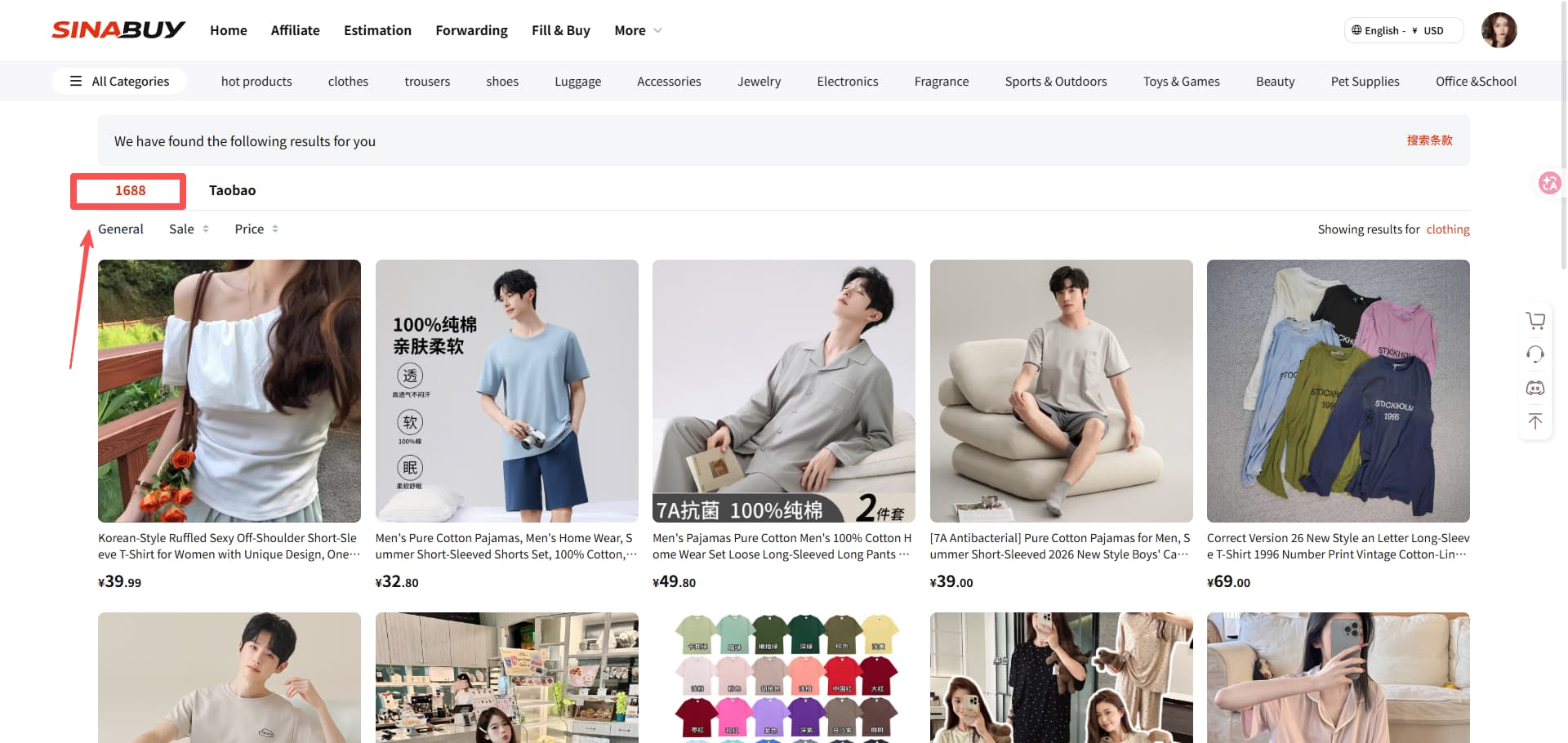
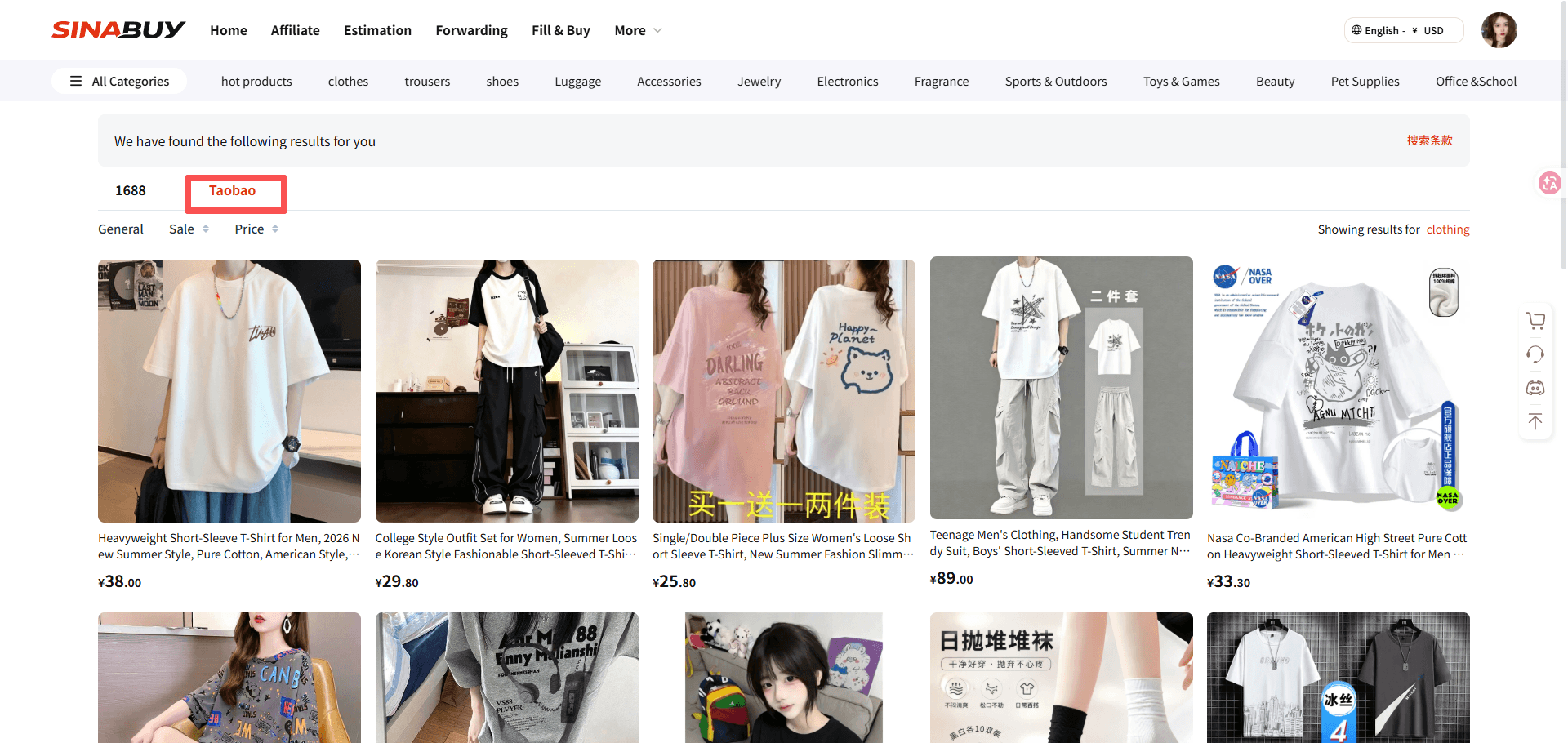
SinaBuy product search results
Official tutorial screen. Open the image to see the full details.
Open the selected result from SinaBuy search
Official tutorial screen. Open the image to see the full details.
02

Submit your order

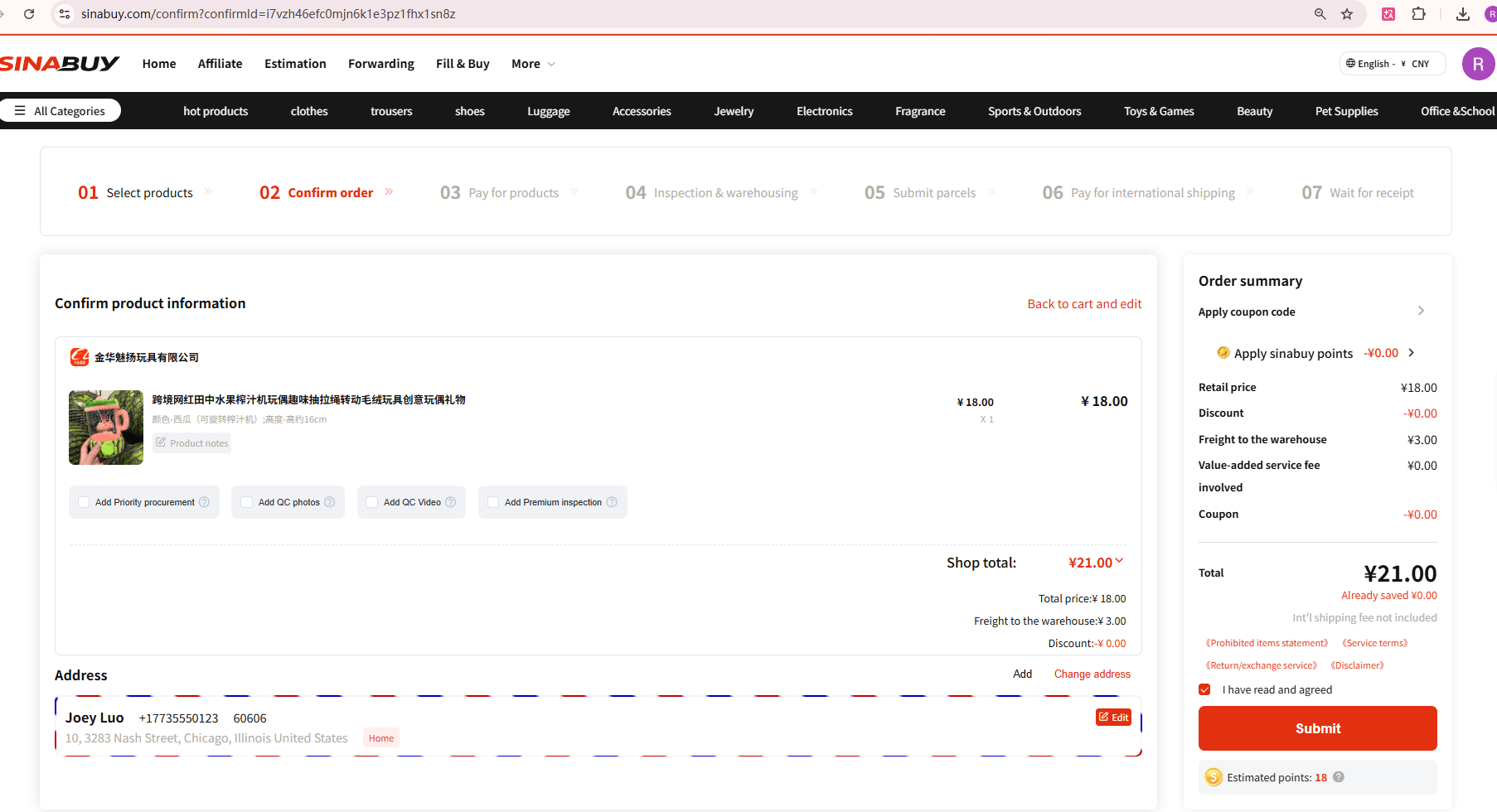
Choose colour, size and quantity on the product page. Select Add to Cart to keep shopping or Buy Now to continue. Check each specification against the seller’s size chart, then confirm destination, service requests and any optional services shown in the order.

Keep a record of details that matter: a measurement, a colour label, included accessories or a seller promise. If an option is unclear, ask before paying.

Confirm product specifications and service requests before submitting an order
Official tutorial screen. Open the image to see the full details.
03

Pay for the goods

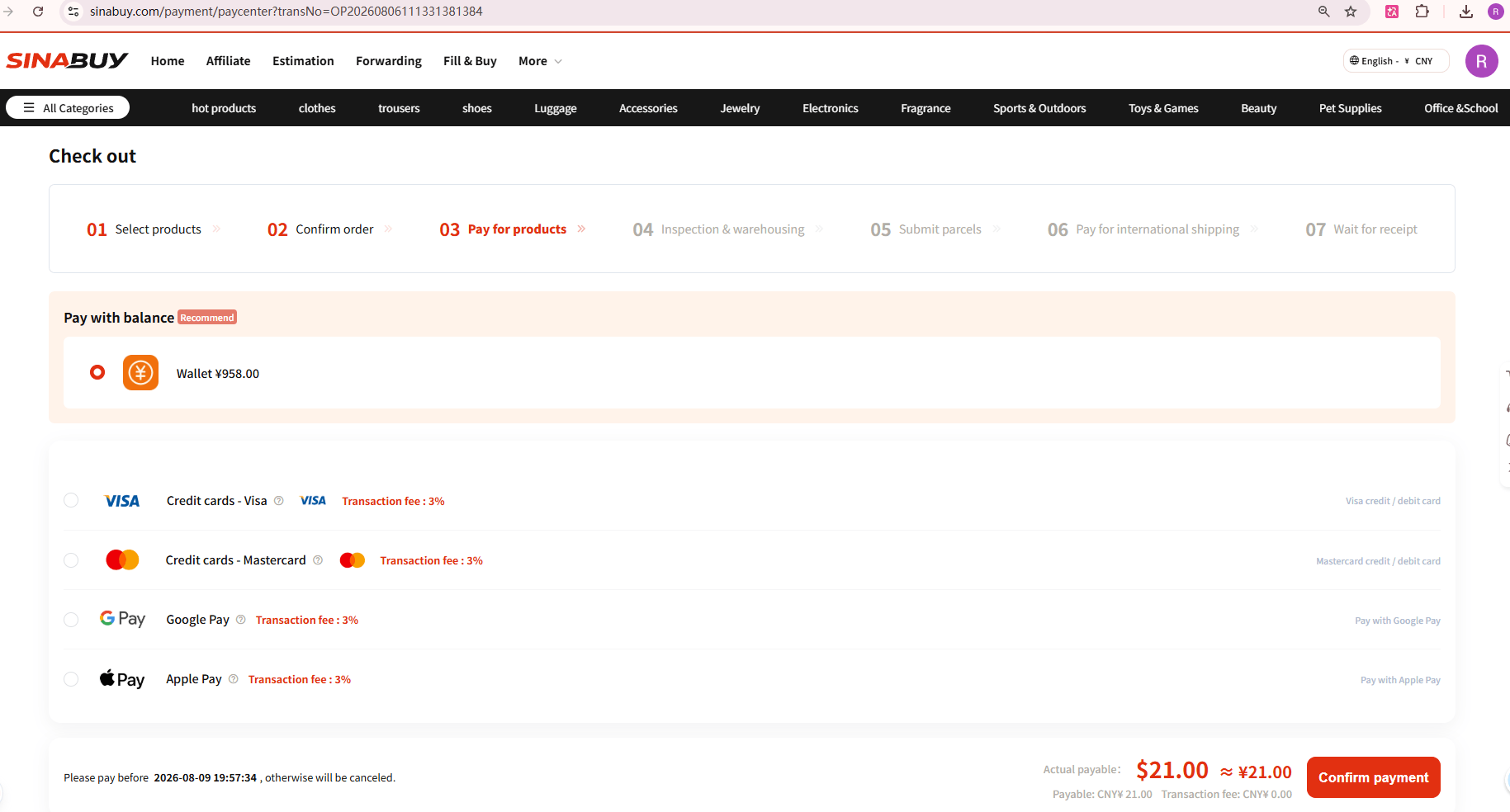
Review the item cost, domestic delivery charge and any selected services at checkout. Choose an available payment method and complete the item payment. The first payment buys the goods; it does not normally include the later international parcel shipment.

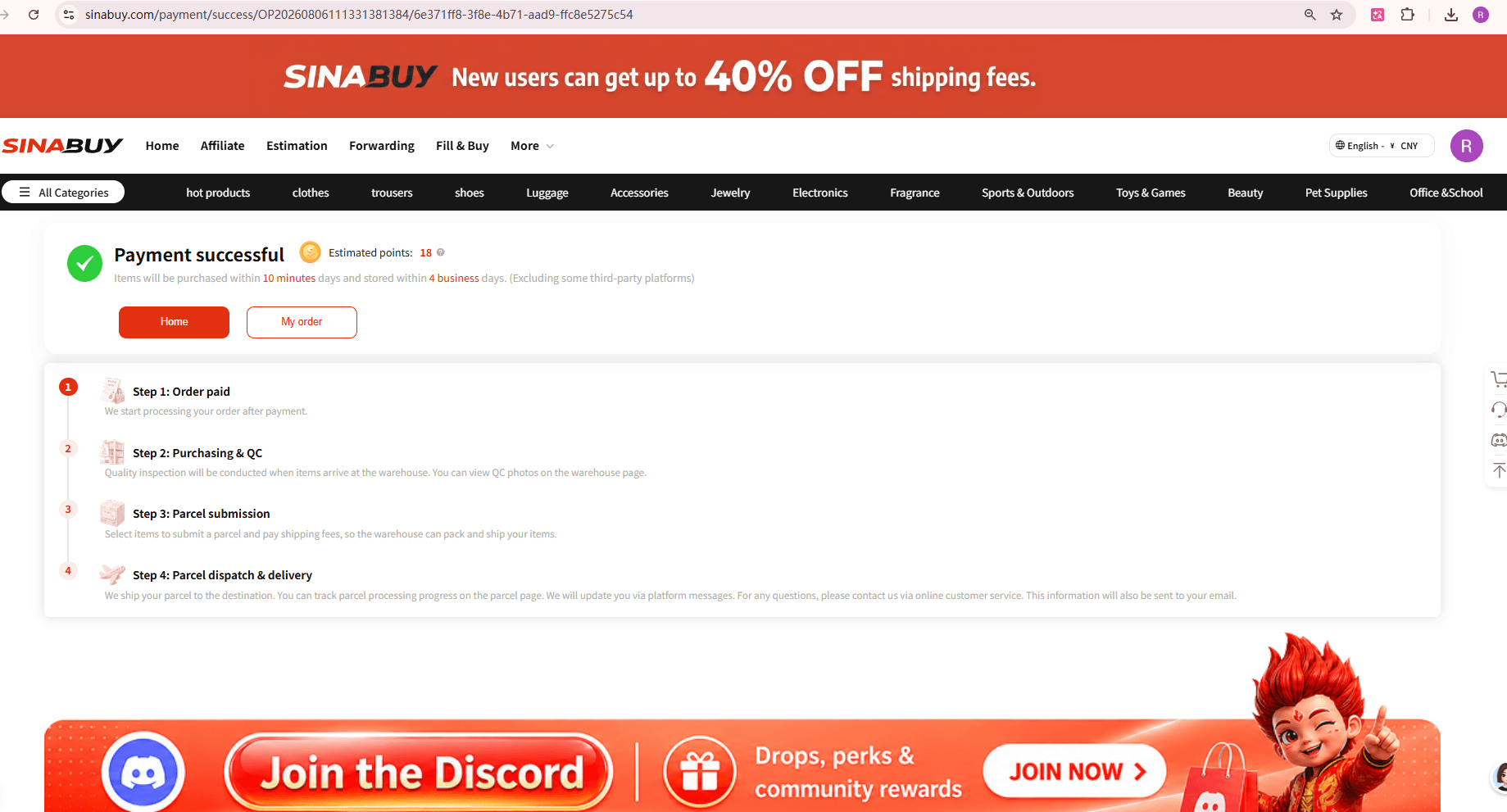
After a successful payment, follow the order in your SinaBuy account. If payment is incomplete, resolve it there before expecting a purchase to begin. Check the current exchange rate and any funding fee at the payment screen.

SinaBuy checkout payment screen
Official tutorial screen. Open the image to see the full details.
SinaBuy payment success confirmation and order progress
Official tutorial screen. Open the image to see the full details.
04

SinaBuy purchases from the seller

SinaBuy processes the paid order and purchases the requested item. Follow the order status and respond if the agent needs a revised option, extra payment or confirmation. Seller stock and dispatch times can change after you first view a listing.

The seller sends the purchase to the warehouse in China. This domestic delivery is a separate stage from the international parcel you will submit later.

05

Inspect the warehouse arrival

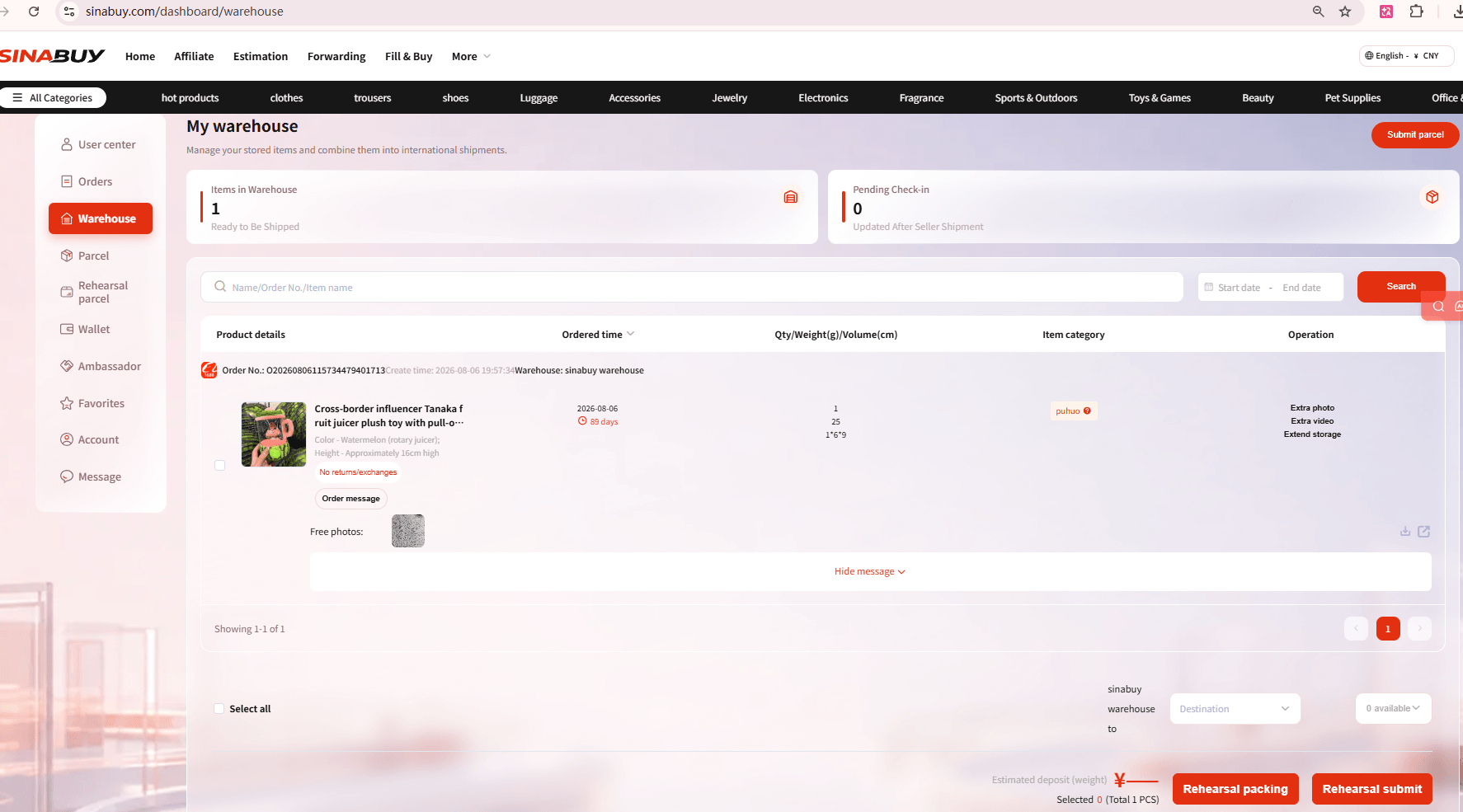
Once the item arrives, review its warehouse record and available inspection photos. Compare the model, colour, size label, visible condition and accessories with your saved order details. Ask for a specific additional view when the available photos cannot answer an important question.

QC is an appearance check, with limits for sealed goods and electronics. It does not establish authenticity, performance or long-term durability. Read the inspection guide before relying on it.

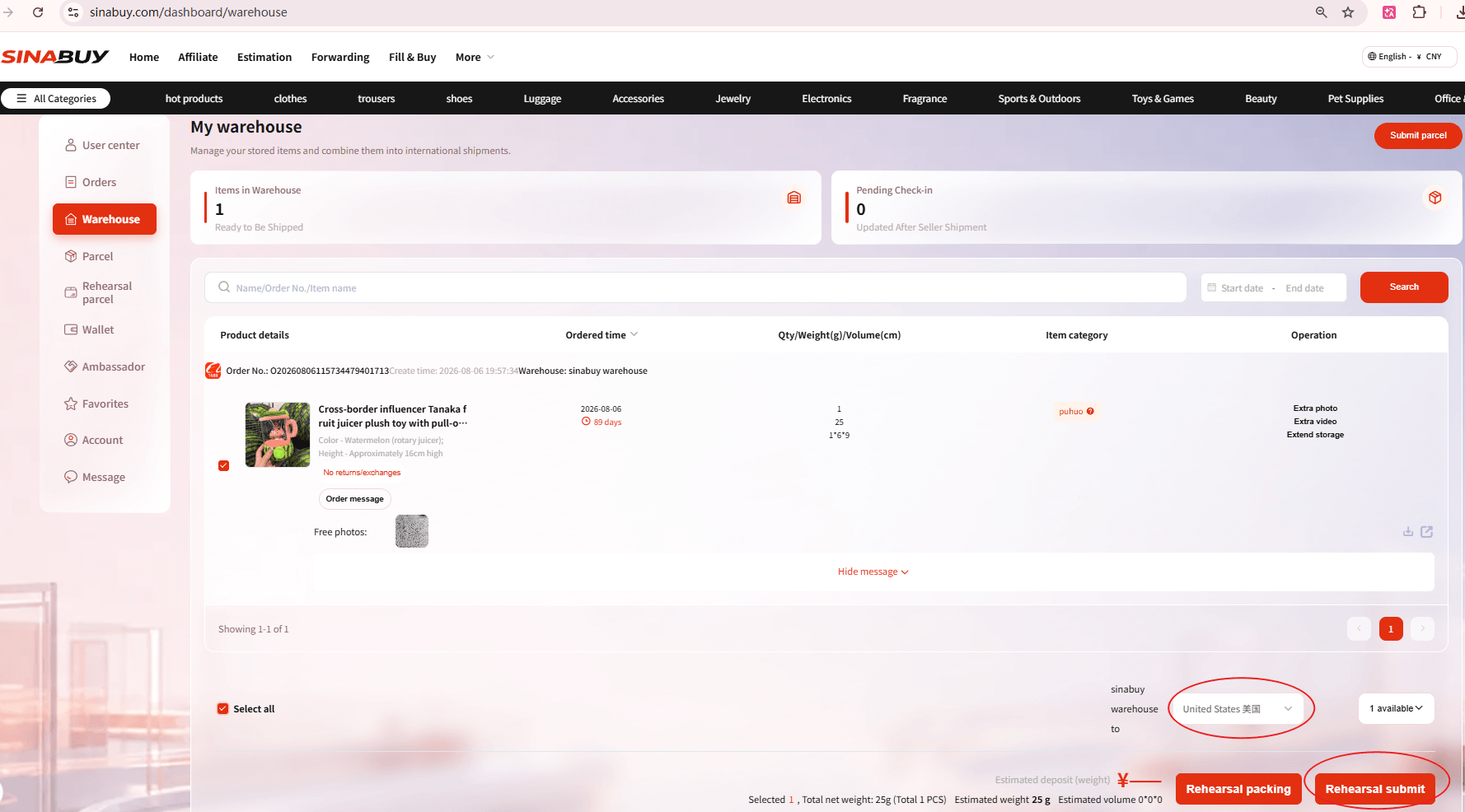
SinaBuy My Warehouse showing stored items and the warehouse review stage
Official tutorial screen. Open the image to see the full details.
Next: ship a parcel →
PHASE 02

Build, pay and follow your parcel

Select stored items, confirm shipping and follow the parcel from the warehouse to delivery.

06

Submit stored items for delivery

In My Warehouse, choose the items you want to ship together. Confirm the full recipient address, telephone number and destination. Choose an eligible shipping line for the actual contents, then select packing, reinforcement or other services if needed.

Compare chargeable weight, size limits, destination coverage and excluded contents. Removing a bulky box may change the cost, but do not remove packaging you still need for a return or for safe transit.

Select warehouse items and submit a parcel in SinaBuy
Official tutorial screen. Open the image to see the full details.
07

Pay the international shipping deposit

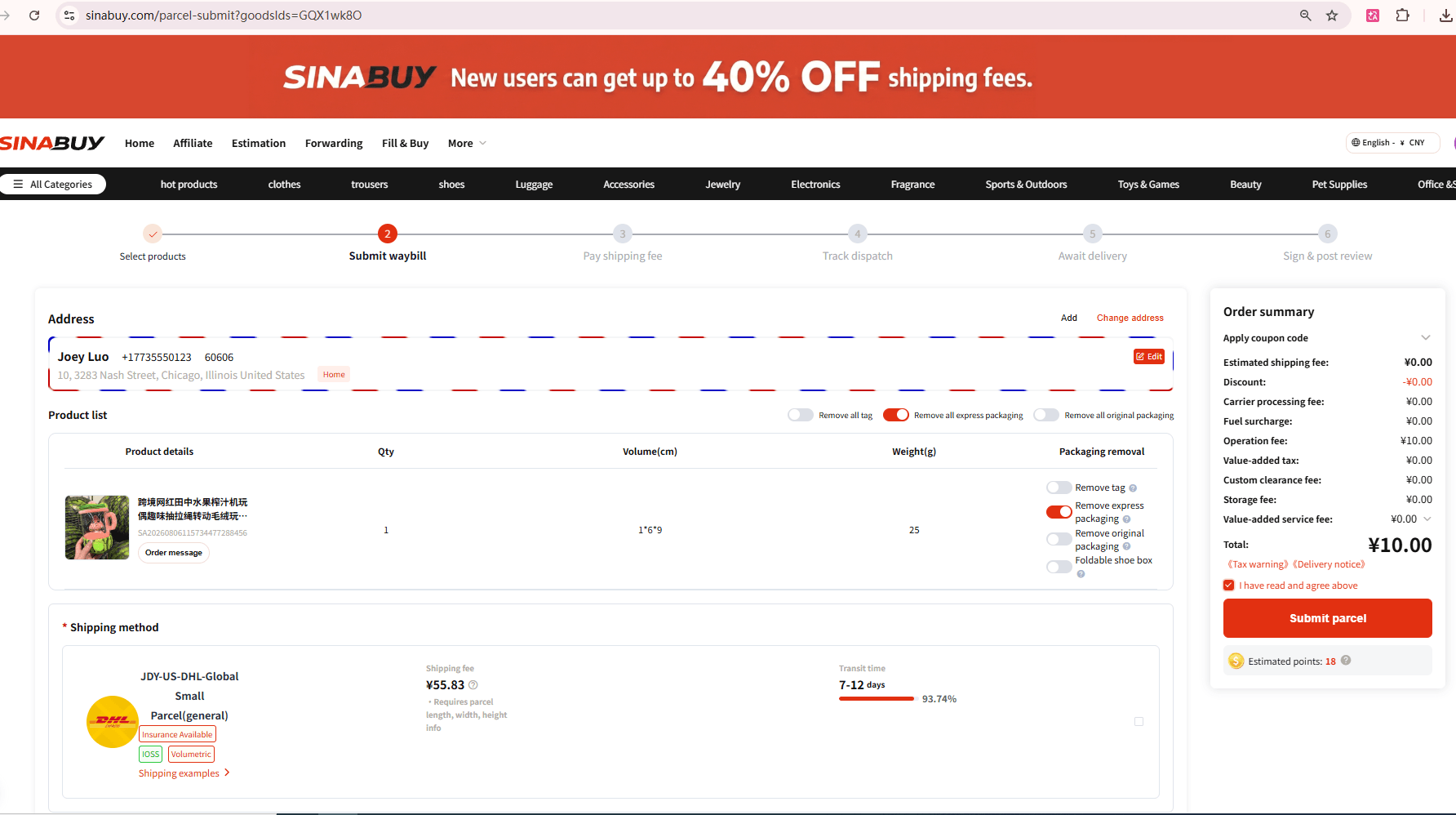
Review and pay the estimated international shipping deposit and any applicable charges shown for your parcel. Final packing and weighing determine the actual cost; follow the adjustment or refund recorded in your account.

Import duties and destination taxes depend on the route and local rules. Read what the selected line includes rather than treating every route as tax inclusive. The local estimator is a dated planning example; obtain a current quote in SinaBuy before paying.

SinaBuy parcel submission screen showing shipping options and parcel cost
Historical parcel-screen example. Prices and promotions are not current quotes. The IOSS badge shown on the US route does not apply to US imports; check the selected route’s actual tax terms.
08

Packing, weighing and dispatch

SinaBuy combines the selected items, applies the requested protection, weighs the parcel and arranges dispatch. Follow parcel progress in your account’s parcel area and save the tracking number once available.

A parcel being packed is different from a carrier accepting it. Wait for the relevant status update before expecting international tracking scans.

09

Follow delivery and respond to exceptions

Check tracking through international transit, customs and the destination carrier. Keep your contact details available in case the carrier needs an address correction, collection arrangement or customs information.

An “Undelivered” status can mean a delivery attempt failed because the recipient was absent or for another delivery issue. Contact the local post office or delivery company promptly to arrange the next step. Undelivered explained ↗

10

Receive, inspect and review

Check the outer box, seals and any obvious weight difference before signing where possible. Keep the outer packaging, tape, item photos, invoice and tracking information if anything is missing or damaged.

Article 235 asks buyers to report relevant damage or shortages to the local post office within two days of delivery and problems to SinaBuy customer service within 72 hours. Submit the evidence promptly rather than waiting for a review request. Once the order is resolved, confirm receipt and share your experience. Parcel receipt checklist ↗

PHASE 03

Personalized products, with clear checkpoints

Printed, engraved and made-to-order products need an agreed brief before production. Check these details before treating a custom order like a standard purchase.

Custom made

Dimensions, materials or a construction made to your specification.

Print & brand

Your logo, text or artwork added to a product.

Special process

Embroidery, engraving, dyeing or another requested finish.

01

Choose a suitable supplier

Check that the seller supports the requested customization. Confirm minimum order quantity, technique, production time and what artwork or specifications the seller needs. A standard product listing does not automatically include a custom service.

02

Confirm the customization brief

Provide the exact wording, artwork, dimensions, colour and quantity. Ask which file format and print area the seller requires. Review a proof or sample where offered and record your approval before production begins.

03

Follow seller confirmation and production

SinaBuy communicates the requirement to the seller and follows the order. Reply promptly if a design, material, price or production detail needs clarification. Keep the final agreed version with the order so later checks use the same brief.

04

Compare the finished item with the brief

Review warehouse inspection photos against the approved wording, design and specifications. Request the detail views you need before accepting the item for shipping. Visual QC cannot verify every material property or production process.

05

Continue with the parcel flow

Once you have reviewed the item, select it from storage, choose a shipping line and packaging, pay international shipping and follow tracking to delivery. Use the same receipt and evidence checklist as a standard order.

Ten decisions to keep beside your order

Use these checkpoints with the illustrated stages above.

02 Describe the exact seller option

Use the seller’s own size and colour labels. Include the listing link, quantity, price and any essential request. A generic “medium” can refer to different measurements across sellers.

03 Budget beyond the listing price

Add domestic shipping, selected services, international delivery and potential destination charges. Check the exchange rate and funding fee displayed in your account. See the cost guide for an itemised explanation.

04 Ask for useful extra QC

Request a photo that answers a real buying question: a measurement, label, seam or accessory. Confirm any charge before requesting it. More photographs do not automatically answer the question you care about.

05 Know the limits of inspection

Appearance checks help compare what arrived with the order. They are not an authenticity certificate or a functional test for electronics. Sealed products may not be opened.

06 Protect your return options

Check arrivals as soon as they are stocked in. Apply within the published window, retain tags and packaging, and confirm seller eligibility and shipping costs before accepting a return arrangement.

07 Use your actual storage deadline

Article 82 describes the total holding period, while other SinaBuy materials advertise a different free allowance. These are different concepts. Check the item’s start date, free allowance and final holding deadline in your account; do not assume 300 days are free.

08 Compare a route for the actual contents

Match the destination, item type, packed dimensions and chargeable weight. A low example price does not establish eligibility or the final price for your parcel.

09 Read the compensation exclusions

Check what a route covers, the claim evidence required and any optional insurance terms. Article 199 lists exclusions including customs-related loss, prohibited contents and missing evidence. Do not assume every loss or breakage is covered.

10 Keep evidence and report promptly

Retain the box, seals, invoice and photos. Article 235 distinguishes the two-day local postal report from the 72-hour SinaBuy support deadline. Contact the destination carrier if a delivery attempt fails.

Keep planning your order

Tutorial screens are SinaBuy’s supplied examples. Promotions, prices, personal details and historical interface labels inside them are not current offers or account information for this site.